From a new project to a qualified lead, every week.
Four steps, one tool. Here is what a sales team sees from Monday morning to the first site visit.
A new project appears
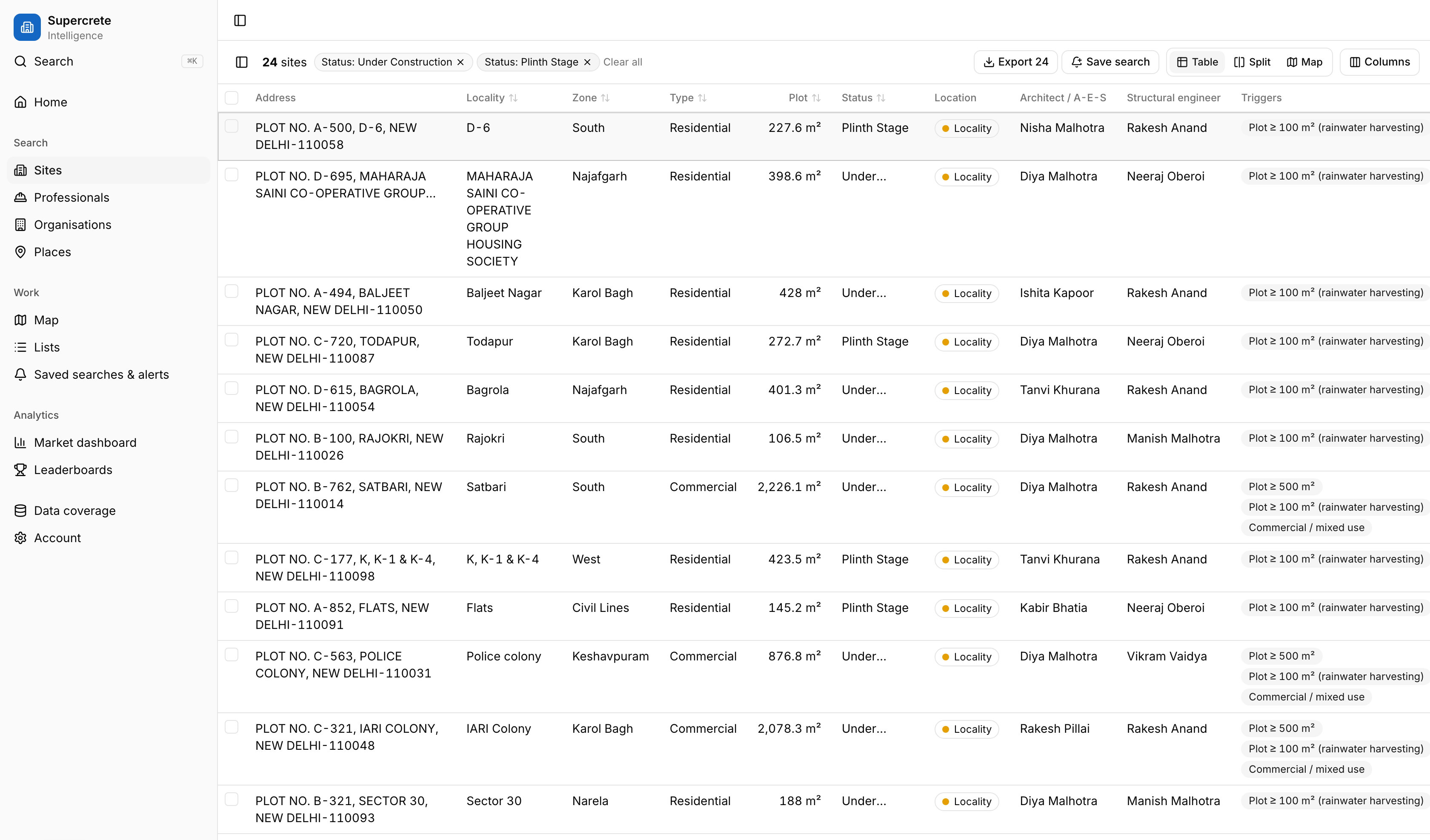
Our weekly refresh picks up new building projects across Delhi, with location, plot area and building use, and keeps each record updated as the project moves, so you get detailed insights and live updates on every site. Every value carries the date it was first seen and the date it was last verified, and every pin says how precise it is.
- Filter by area, locality, PIN, radius from a point, plot area, building use and project age
- Table, map, or both side by side
- Lead triggers such as "large plot" or "new this week", saved as rules your team can rely on
The people are linked
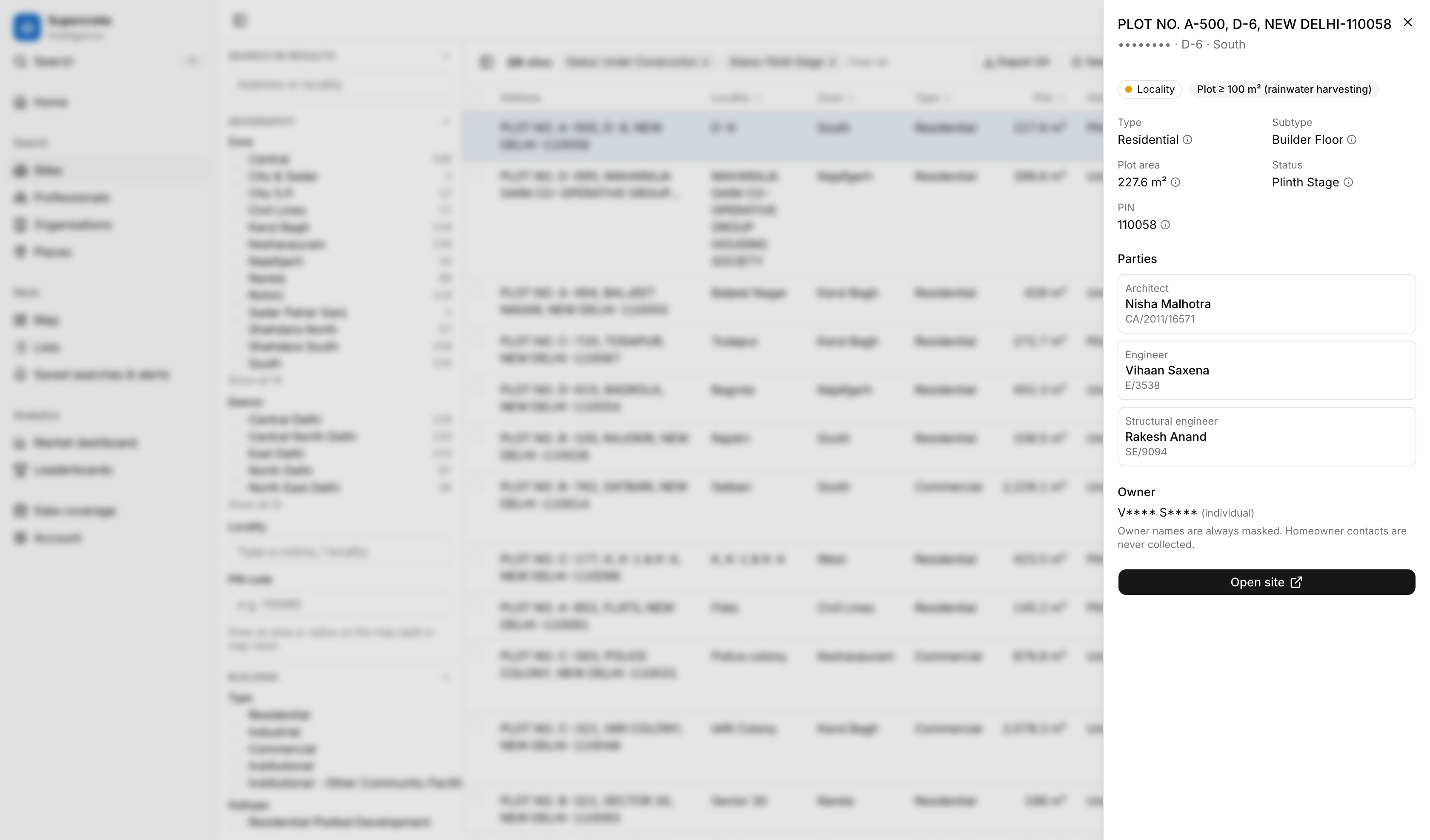
We identify the key stakeholders behind each project, such as the architect and structural engineer, so every site leads to a real professional. Profiles are built from the projects they have actually worked on.
- Project counts for all time, the last 90 days and the last 12 months
- Areas, building-type mix, plot sizes and frequent collaborators
- Leaderboards by area and period, so the most active architects in your territory are one click away
Matched to your trade
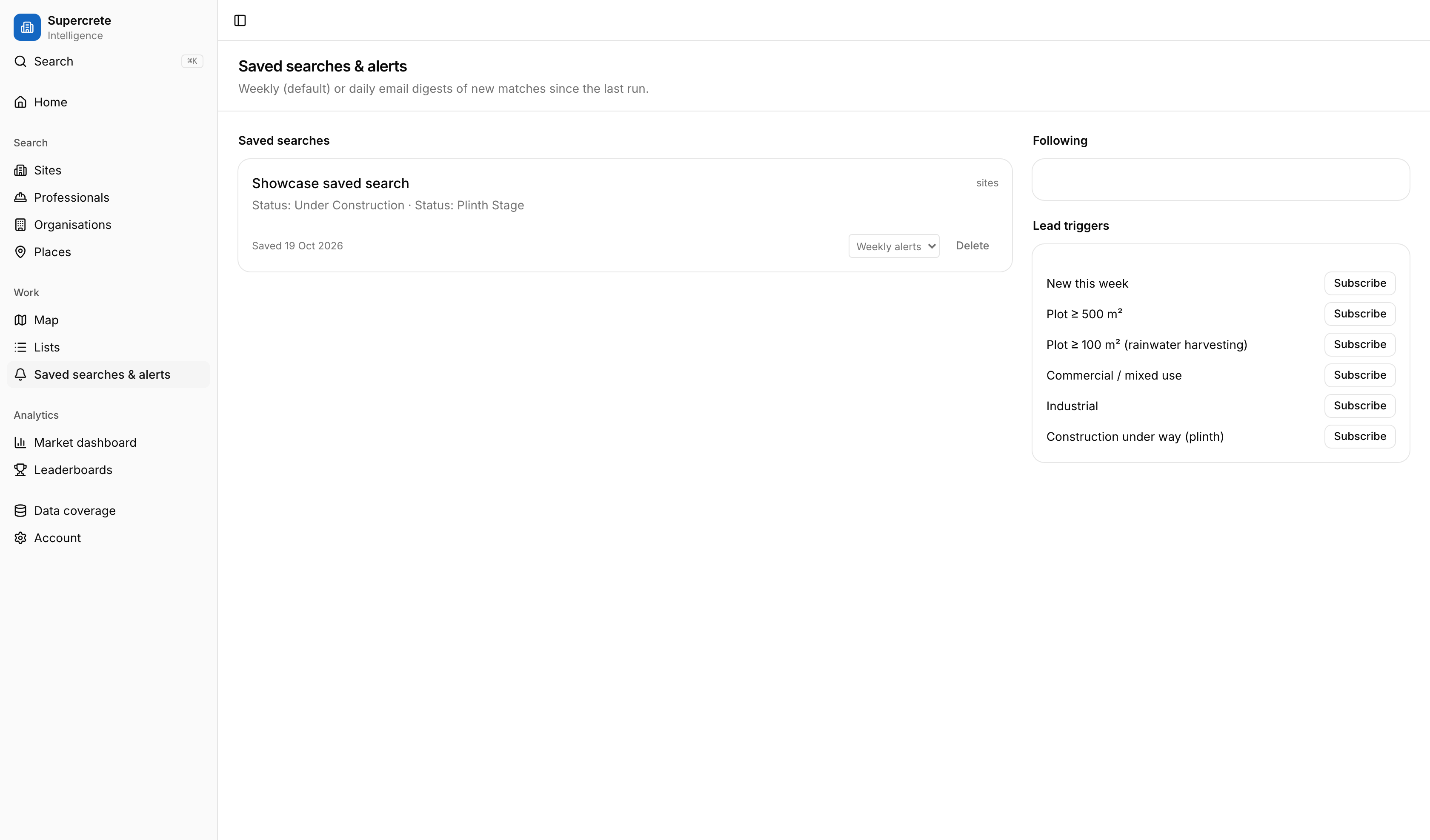
Filter by plot size, building use, area or distance from your yard or showroom, and by project age so the sites are in your buying window. Save the search once.
- Saved searches with daily or weekly email digests
- Follow a professional and hear when they start a new building
- Shared lists with a status (new, contacted, meeting, won, lost), an owner and notes
You make the call
Reveal a business contact when you are ready. Every reveal is logged and counts toward your plan, so the data stays accountable and outreach stays targeted.
- Business contacts for professionals and businesses only; homeowners are never collected
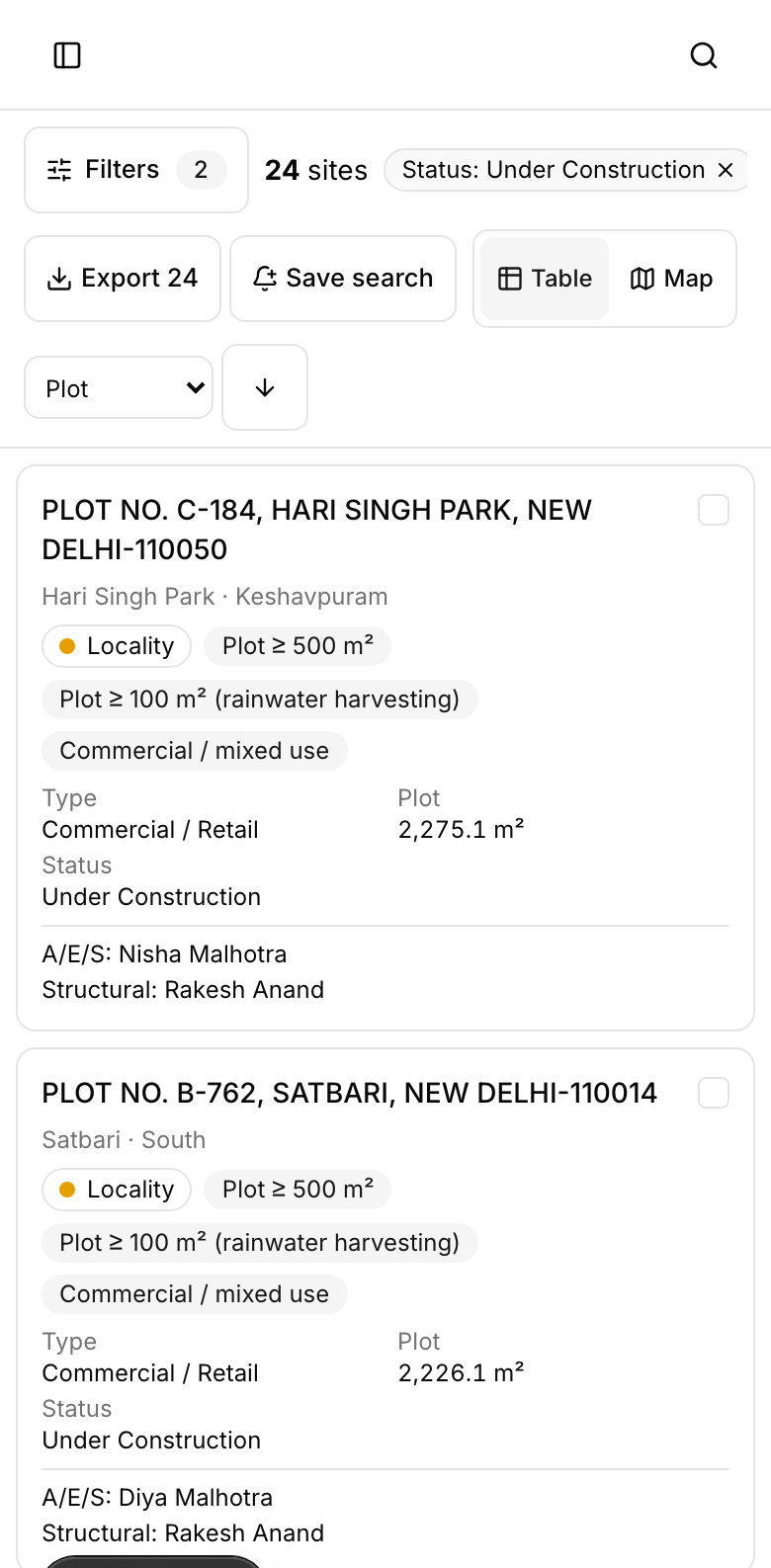
- Exports capped per plan and watermarked with user and time
- Works on a phone, because that is where a field team lives
Maps, dashboards and places.
Map
Full-screen map with clustering and heatmaps coloured by building type, recency or plot size.
Market dashboard
New projects per month by area, fastest-growing localities and area comparisons for territory planning.
Place pages
A page for every area, locality and PIN with the projects and professionals active there.
Awards intelligence (early access)
Contractors with public contract wins, with department, value and location, linked to the contractor's history.
Common questions
How soon after a project appears does construction start?
It varies. Many residential rebuilds mobilise within weeks; larger and commercial projects can take months. Every site shows its project age, so you can prioritise.
Do you show the contractor?
For private plots we show the key stakeholders such as the architect and structural engineer. Contractors with public contract wins are covered by awards intelligence, which is in early access.
Can I share lists with my team?
Yes. Lists are shared within your organisation, with a status, owner and notes on each site.